
Open the workspace#
onboarder startOpen http://localhost:4310 and load a repository. The workspace combines the file sidebar, a central canvas or report, and an inspector for selected items. New project switches sources. System contains AI connection and icon-labeled Light, Dark and System appearance. MCP configures integration. The grouped sidebar keeps Explore, Analyze and Changes views reachable without horizontal navigation. Files and Details collapse or reopen their panels in every view; narrow screens use drawers.
Explore without losing your place#
In Tree, click a folder to expand or collapse it. The toolbar can open all folders or collapse them. Expanding preserves the canvas position and zoom; Fit deliberately frames the full map when you want an overview.
Click a file on the canvas to choose Deep Dive, Code, or Docs. Files in the sidebar open directly. Use the file filter or Search when a tree becomes large.
Hover or keyboard-focus a node to highlight its connected thread and gently fade the surrounding map. Lock thread, the Tree pin, or Shift-click keeps the highlight while you pan and zoom. Escape unlocks it. Tracing works across all nine Explore views and the Graph tab.
Explore views#
| View | Use it to |
|---|---|
| Tree | Expand folders and navigate the repository hierarchy |
| Files | Inspect dependencies within a folder and dive into calls |
| Layers | Read architectural strata, cycles, and unreachable source |
| Health | Compare risk, complexity, centrality, and blast radius |
| Security | Investigate built-in security and quality patterns |
| History | Connect Git churn and recent activity to source |
| Services | Inspect Compose services, Procfiles, and workspace structure |
| Tour | Follow a curated reading path through key modules |
| Atlas | Browse the generated diagram collection |
Workspace navigation#
| Tab | Purpose |
|---|---|
| Deep Analysis | Run optional engines and filter their normalized findings |
| Review | Choose offline or AI-assisted review; inspect evidence, propose and approve a patch, then separately authorize verification |
| Triage | Inspect a read-only GitHub PR queue, priority, ownership and observed checks |
| Graph | Follow the interactive dependency graph |
| Heatmap | Compare traffic and coupling between folders |
| Insights | Read architectural signals and repository findings |
| Diff | Inspect changed files and estimated dependent-file impact |
| Workflows | Read GitHub Actions jobs and triggers |
| SBOM | Inspect declared dependencies and licenses |
| Code | Read source with Monaco and dependency navigation |
| Docs | Read or generate repository documentation |
| About project | Inspect repository statistics, stack, history and scan details at the top of Explore |
Search, export, and refresh#
Cmd/Ctrl-K opens file, symbol, and source search. Search syntax covers filters and keyboard controls. Use Copy Mermaid to reuse diagrams and Save SVG where available. AI sketches need a configured connection; static maps work offline.
Rescan after structural edits. A cached dependency map and a branch-range comparison may describe different source states, so estimated change impact needs review.
Review changes · Generate an approved fix · Inspect PR triage
Product preview#
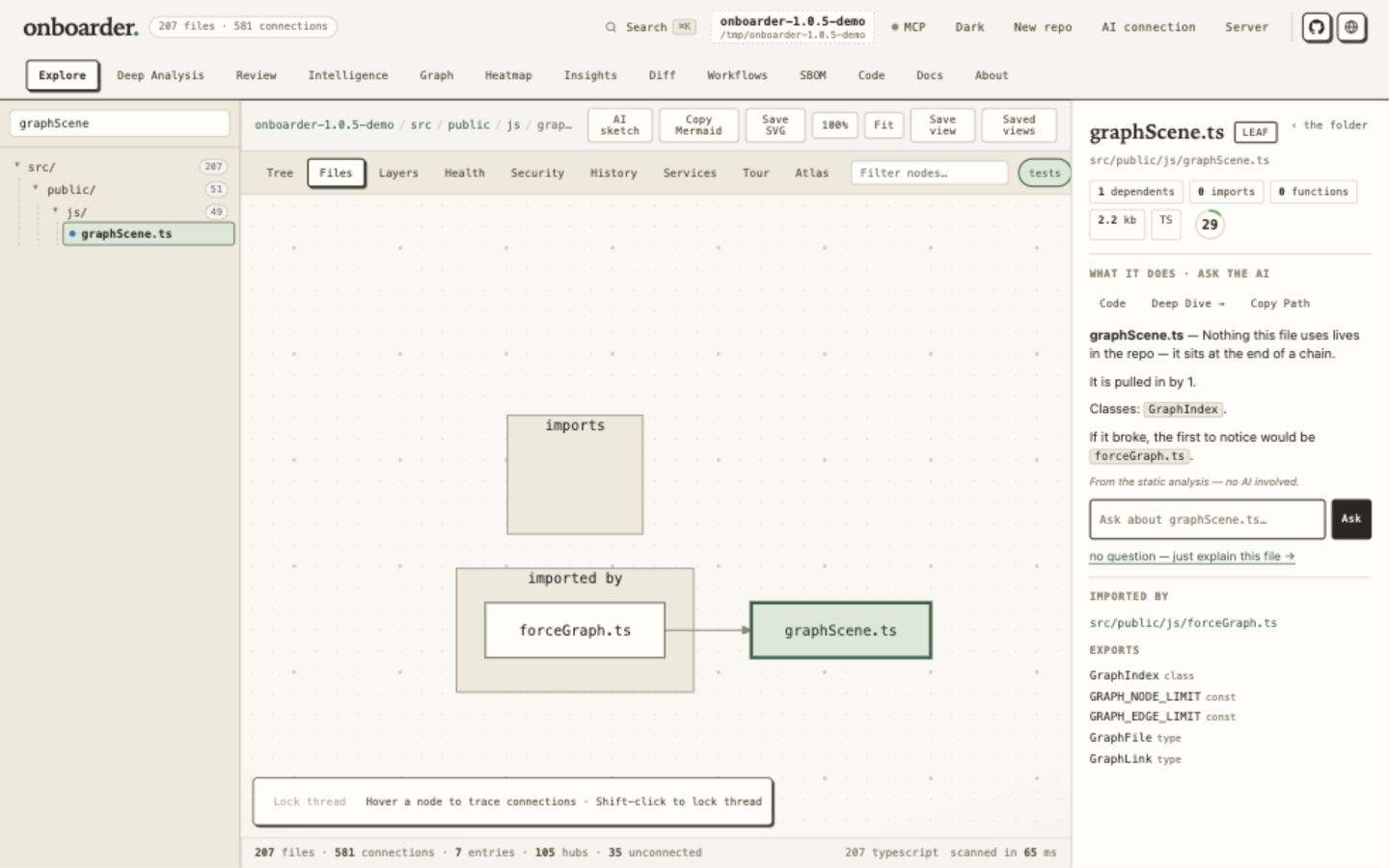
This screenshot shows Onboarder inspecting the imports and dependents of its own scan-options module in the Files view. It follows your selected website theme. The dark preview shows the updated interface with improved diagram contrast.
Repository intelligence#
Open Intelligence for source evidence, saved answers, semantic references, boundaries, onboarding journeys, measured coverage, revision comparisons and optional team/fix workflows. See repository intelligence for setup and limits.
Lightweight Graph#
The Graph tab uses stable placement and bounded rendering. Search covers every scanned file. Shift-click a node to lock its thread; press Escape to unlock. See Graph for interaction and display limits.
Project and application information#
About project is the first Explore item. About Onboarder at the bottom opens product information, website, npm and GitHub links. Hover or keyboard-focus compact controls for readable full labels. The Mac preview shares this interface and adds native project windows and shell/chat terminals; browser interactive terminals remain in the standalone CLI.